
Pre-built Sales and Customer Service skills bring Dynamics 365 into Copilot Cowork, while Code and Autopilot support remains in early access
Microsoft has made 30 pre-built Dynamics 365 CRM skills generally available in Copilot Cowork. The skills give sellers, service representatives, and marketers a structured way to work with Dynamics 365 data and actions from inside Microsoft’s Copilot experience. Deva Rajamohan, Corporate Vice President of Dynamics 365 Customer Experience, outlined the release in an October 2026 Dynamics 365 blog post announcing 30 new CRM skills. According to the post, the skills work with more than 180 generally available tools across Dynamics 365 Sales, Dynamics 365 Customer Service, and Dynamics 365 Customer Insights.
The release builds on the Dynamics 365 Sales and Customer Service plugins that became generally available alongside Copilot Cowork in June 2026. Those plugins arrived in the same wave that made Microsoft 365 Copilot generally available in Dynamics 365 Sales and Customer Service. What is new is a defined library of task-specific skills covering work such as pipeline review, deal risk, case triage, and customer replies. Microsoft is also extending those skills into its newer Copilot experiences, but general availability applies to Cowork only. Code is offered through Microsoft’s Frontier early access program, and Autopilot remains in private preview.
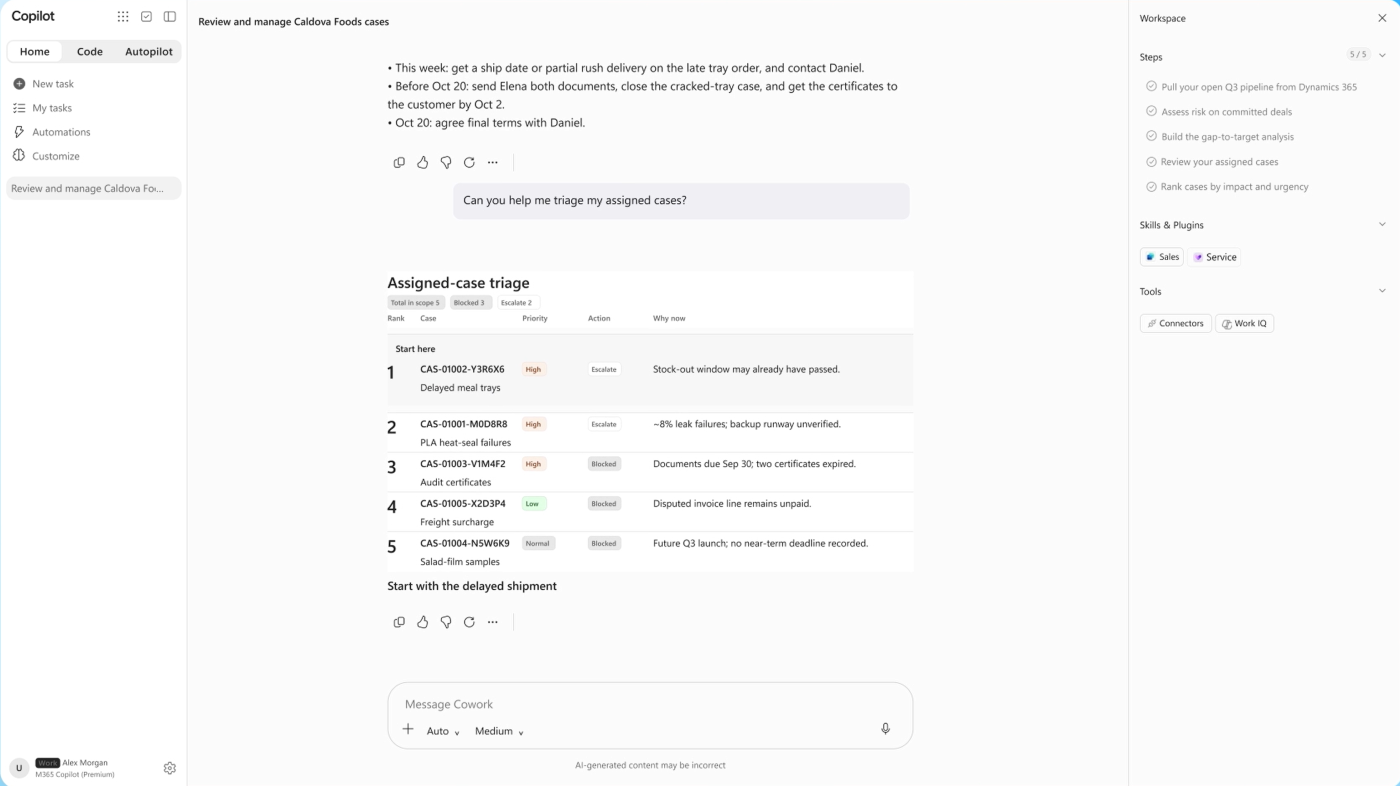
Dynamics 365 CRM skills for Sales, Customer Service, and Customer Insights
Microsoft organizes the skills around sales and service work, with a small set of shared skills that bring customer context into either motion. The announcement does not list all 30 skills, but it names the following examples.
Dynamics 365 Customer Insights is included among the products whose tools work with the skills. Microsoft says marketers can use Cowork to prepare consent-aware outreach and brand-compliant content within their existing workflow. However, the announcement does not name any marketing-specific skills, so Customer Insights teams should expect less packaged guidance than their sales and service counterparts for now. The release also does not cover Dynamics 365 Field Service, Contact Center, or Project Operations.
How Dynamics 365 CRM skills use MCP server tools
Microsoft draws a clear line between tools and skills. It describes Model Context Protocol (MCP) tools as reusable building blocks that give AI experiences a standardized, governed way to read CRM context and carry out approved business actions. Skills sit on top of those tools and add task-specific guidance, such as which evidence to weigh, how to handle uncertainty, and what a useful result should contain. Microsoft’s own example illustrates the difference: retrieving an opportunity is a tool action, while working out why a deal has stalled requires a skill.
That tool layer has been expanding through 2026. The Dynamics 365 Customer Service MCP Server reached general availability in July 2026 with more than 90 service tools. Microsoft followed with general availability of the Dynamics 365 CX MCP Server for Sales in late October 2026. That server provides 59 governed tools covering opportunities, leads, accounts, activities, pricing, quotes, and orders. Earlier in the year, Microsoft also added Model Context Protocol support to Dynamics 365 Sales agents so they could draw on third-party sales data.
From an analysis standpoint, the layered design is what makes the skills portable. Because the skills rely on standardized tools rather than a single interface, Microsoft says organizations can extend them into custom agents and AI harnesses, not just its own Copilot experiences.
Dynamics 365 skills in Copilot Cowork, Code, and Autopilot
The skills arrive as Microsoft reshapes its Copilot experience. In September 2026, Microsoft introduced the new Copilot with Home, Code, and Autopilot. Home brings Chat and Cowork together in a single starting point, while Code and Autopilot add two newer ways to delegate work. The availability of Dynamics 365 skills differs significantly across these experiences.
In Code, Microsoft’s examples include using the Sales Research Agent skill to guide pipeline and forecast analysis. Another example combines the case triage and case preparation brief skills to inform a service workspace that shows which cases need attention and why. In Autopilot, the examples include reviewing deal changes, assessing documented case interactions, and identifying reusable guidance from verified resolutions.
Microsoft is careful to limit expectations for Autopilot. Recurring automation and background notifications remain subject to private preview limitations. The company also states that its examples do not imply automatic handoffs or identical functionality across every Copilot experience. Nor do they grant permission to send communications or change CRM records without appropriate authorization.
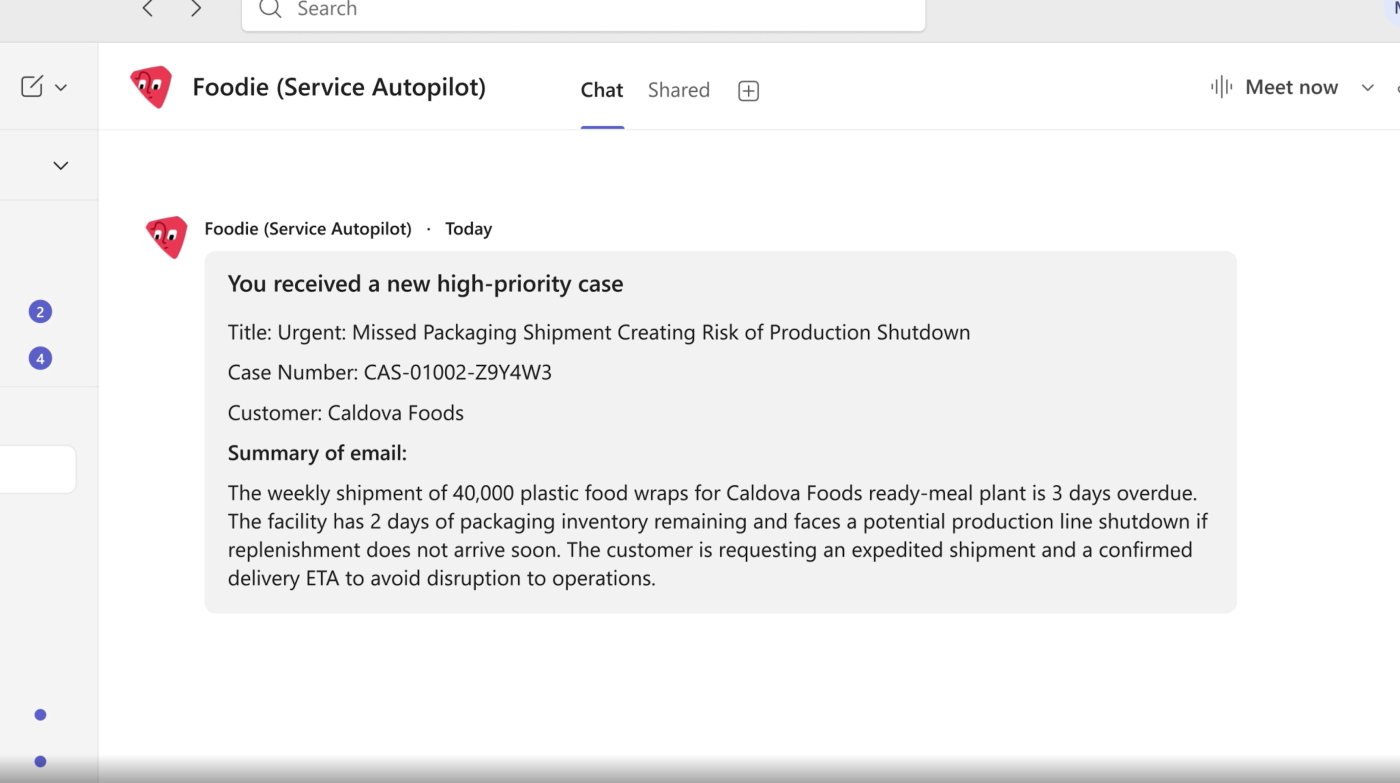
Governance and permissions for Dynamics 365 CRM skills in Copilot
Microsoft has built the skills to separate analysis, recommendations, proposed changes, and completed actions. In practice, a stage advance readiness assessment does not move an opportunity to the next stage, and a draft customer reply is not a sent message. The skills also respect existing Dynamics 365 and Microsoft 365 permissions, so users can only reach data and actions their current security roles already allow.
For IT teams, Microsoft recommends validating three things. Users should understand what the AI is proposing, execution should follow authorization and review requirements, and results should accurately reflect what actually changed. For Code and Autopilot in particular, organizations should confirm which actions are authorized, when human review is required, and how failed or unconfirmed actions are reported back to users.
What Dynamics 365 CRM skills in Copilot Cowork mean for customers
Dynamics 365 CRM skills are now generally available in Copilot Cowork, while the same skills remain early-stage in Code and Autopilot. For most organizations, the practical next step is a scoped Cowork pilot built around a few high-value skills, such as pipeline prioritizer or case triage. That pilot should include a review of the security roles that govern what those skills can reach. An experienced Dynamics 365 CRM partner can help align skills, permissions, and approval rules with existing sales and service processes.
Follow Dynamics101 for ongoing coverage, independent analysis, and expert perspective on the latest developments across Microsoft Dynamics 365 and Power Platform.

